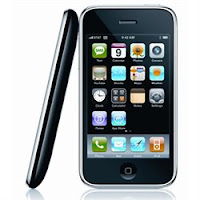
Shoot.... I knew I would make this mistake some time. I was so absent-minded when I plugged my iPhone into my USB port and iTunes popped up a window asking me if I wanted to download "something." I am usually very careful about firmware, as my hubby who managed to have my US iPhone that I bought back in 2008 unlocked for me told me explicitly that I should not update the firmware. I had to have it unlocked as it didn't read the SIM card provided by one of the carriers here in the Czech Republic.
Anyway, I did it - accidentally. Boo! And, it was too late when I noticed that I made a mistake. It didn't recongnize my SIM and kept bringing up the screen for the Emergency Call. I looked for my old AT&T SIM card hoping that would bypass this emergency call screen, but tough luck... I couldn't find it. Along with the effort to reduce our baggage for our move to our next destination, I probably threw it away.
So, I spent almost all day searching and exploring different ways to fix it. Firstly I had to find out whether it was 2G or 3G. Based on the fact that it has a plastic cover rather than an alminum cover, I ascertained it was 3G. Then, I wanted to make sure that I know what version of firmware the person who unlocked my iPhone installed. This was tough. Since most of the sites said that the 3G iPhone is unlockable. Well, but it is unlocked. I found a couple of sites, and they seemed to say it was 3.1.2. I looked up for it and downloaded on my MacBook. Well, then I realized that my iTunes was updated to a new version and needed to re-install to an older version. This was another tough job on MacBook. You have to erase files one by one manually. Anyway, I did. I also learned good tricks like pressing Option key while booting your iTunes will let you specify the firmware you want to reinstall, etc. But, this didn't work. I tried several times, but it kept giving me an error message. Maybe I can jailbreak my iPhone first as
instructed here? It was enough hacking for today, and now I really have to shift my focus to our move!! As my hubby suggested, maybe I will just wait until I move to our next destination. Or maybe it is time for me to buy a new iPhone.
But Apple--! I love your innovative design sense and all that, but this is nuts. Updating the firmware completely blocks me from using my iPhone - not only as a phone but also as a device to use the apps that I purchased from your store!?!? It is so not right.
 It would be a crime if I leave the Czech Republic without mentioning about "rohlík"!! Rohlík is everywhere. It is a thin roll stretched to the size of a hot dog. And it is ultra cheap! Most of the stores sell them at CZK 1 (6 cents) each. Almost everyone (I mean literally everyone) leaves the store with a bag full of rohlík, as if the only purpose of the shopping was to get rohlík. It had been a mystery to us how Czech people eat that many rohlík.


